One trusted entry for people and AI
Manual operations and AI tasks share paired identities and secure channels.
 keelark
Keelark Ops · Remote operations for people and AI
Remote terminals, files and AI operations in one workspace, without opening public management ports. Agents connect outbound; native sessions use hybrid post-quantum encryption and classical plus PQ identity proofs.
macOS 12+ · Apple Silicon / Intel · Beta
macOS Beta · ad-hoc signed; not Apple notarized.
No extra public SSH, RDP or DeepOps management ports. Agents need outbound access to a reachable relay.
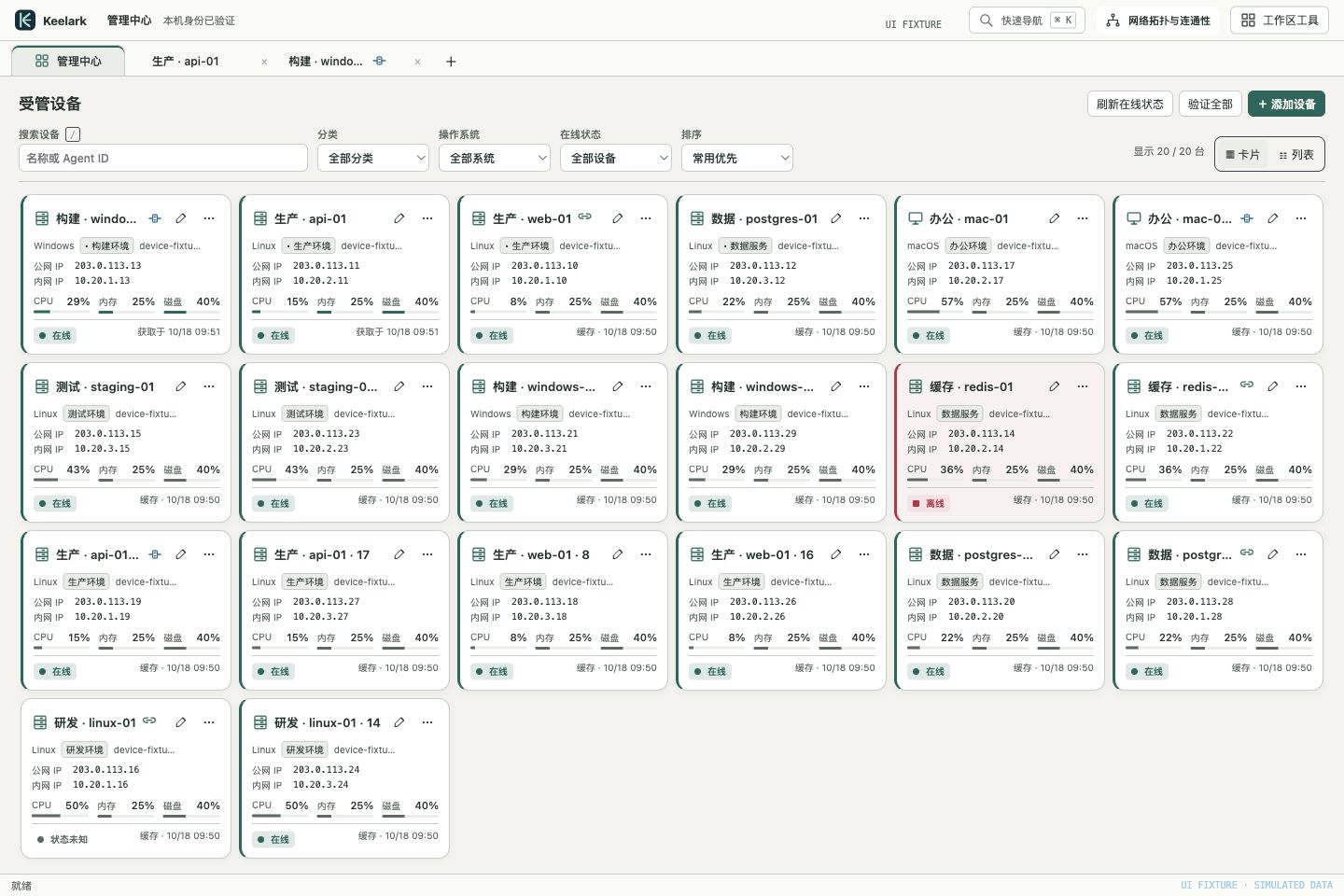
Manual operations and AI tasks share paired identities and secure channels.
Agents connect outbound. The relay carries ciphertext, not readable Ops content.
Hybrid PQ key exchange with classical and post-quantum identity proofs.
BUILT FOR DAILY WORK
Inspect services, read logs and update configuration. Keep familiar tools; let Ops handle secure connectivity and endpoint identity.
AI OPERATIONS
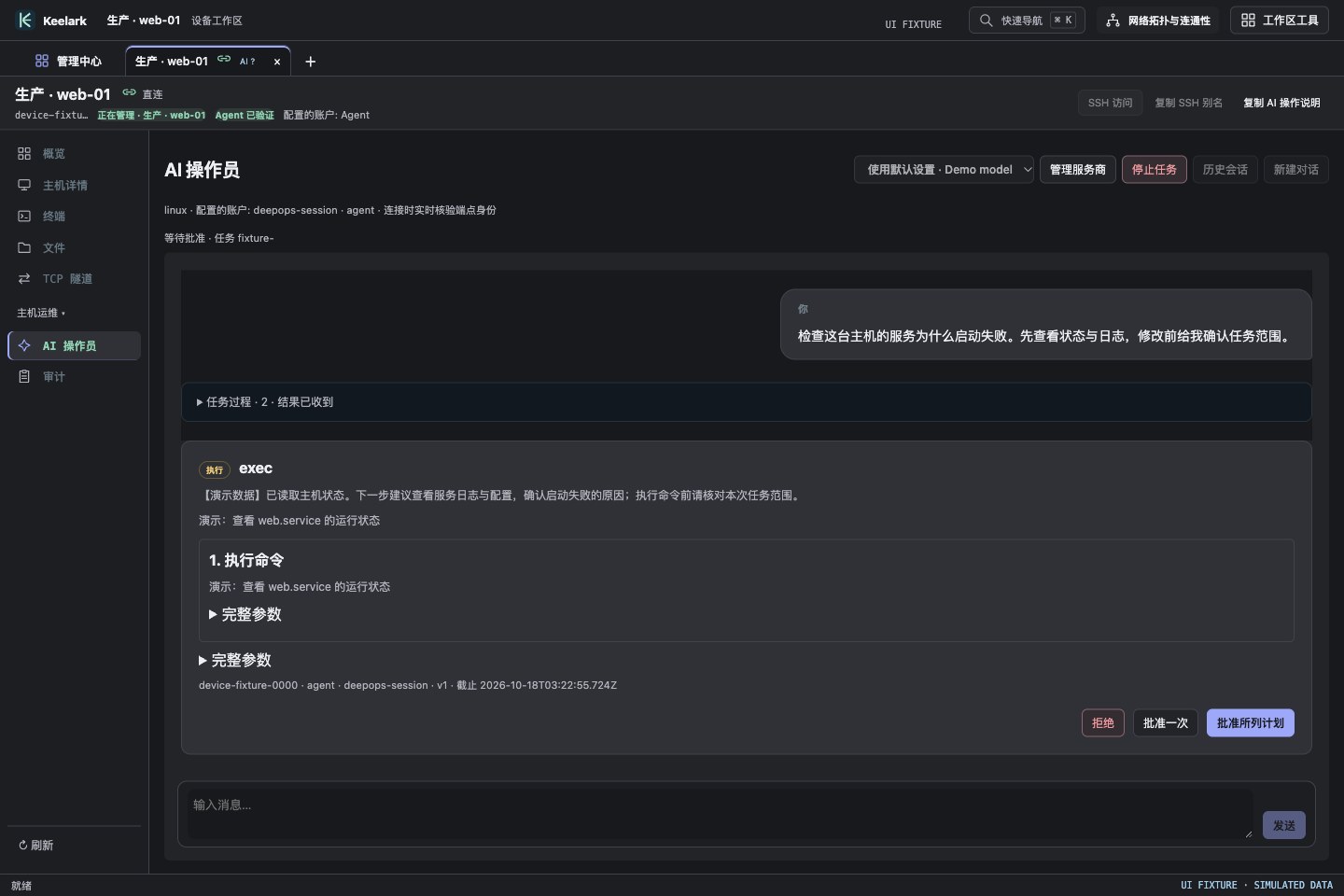
Describe a task in the device workspace. Built-in AI inspects state, proposes actions and checks results. Or give your coding assistant the copied instructions to use the same host through the local CLI.
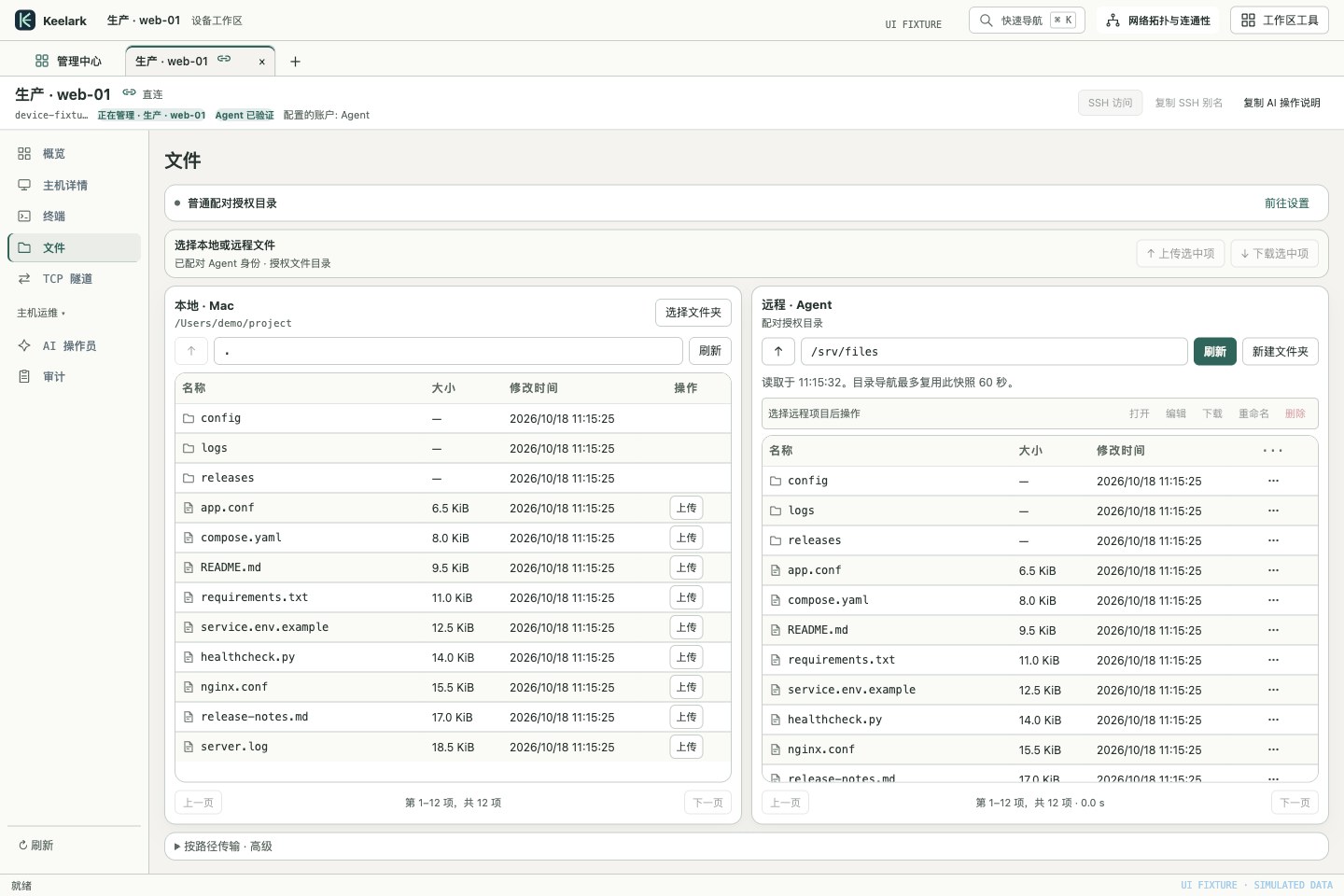
FILES
Compare local and remote directories. Upload releases, download logs and edit configuration. File access follows permissions approved on the device.
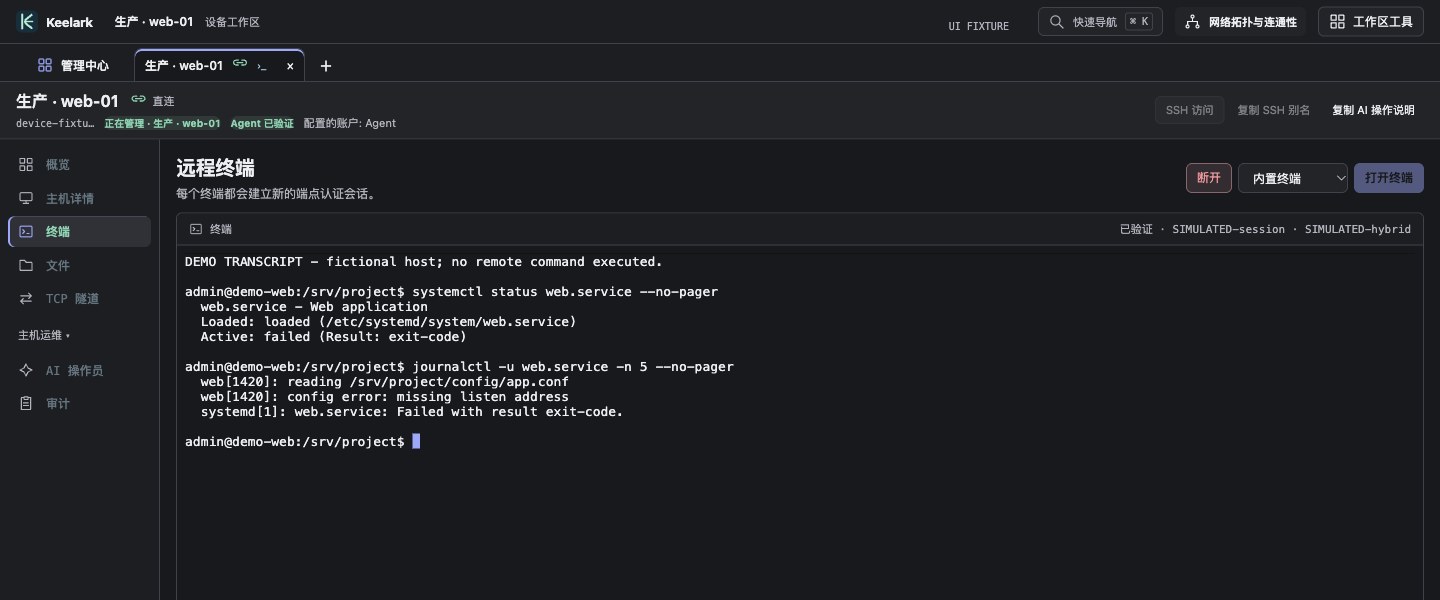
TERMINAL
Use the integrated terminal or open your local terminal app. Git, Docker, systemd and language toolchains keep working in their familiar way, without a new deployment language.
CLI / JSON
Copy instructions from the console with the device identity and authorization scope. Coding assistants use the local CLI without receiving the host’s long-term login key.
CLI and AI setup guidedeepops ai --grant CODE inspect INSTANCE --jsonCODE and INSTANCE come from your console. With AI authorization enabled, every call checks scope and validity.
HYBRID POST-QUANTUM / ENDPOINT IDENTITY
Ops encryption ends at the console and Agent. The relay coordinates connections and forwards ciphertext. Endpoint identity is verified before operation permissions are checked.
Hybrid post-quantum key exchange
Classical and PQ identity proofs
Managed hosts need outbound access to the relay. The relay still needs a reachable public ingress. Choose automatic routing or force relay. Online status and the authenticated connection path are displayed separately.
X25519 + ML-KEM-768
Device transport uses TLS 1.3 with X25519MLKEM768, combining classical and post-quantum key agreement.
Ed25519 + ML-DSA-65
Dual identity proofs bind to the current session. An old proof cannot simply be replayed on a new connection.
IDENTITY → PERMISSION
A paired device still needs permission for commands, file access and routing. Identity alone does not grant administrator access.
Hybrid PQ encryption does not replace endpoint security or correct authorization. This Beta does not claim independent security certification.
GET STARTED
Open the Mac console, configure your relay and pair an Agent. Verify the endpoint identity, then get to work.
Install the console and unlock it with local identity.
Create an invitation, run installation on the host and approve its verified identity.
Open terminals or files, or choose device and task scope for AI.
A macOS console for paired Linux and Windows hosts. Review installation instructions and supported platforms for your deployment.

0.12.50-beta.53-desktop · Universal · Beta
macOS 12+. This Beta uses ad-hoc signing and is not Apple-notarized. Existing identities and pairings are preserved during a compatible upgrade.
Yes. This Beta is for self-hosted deployments. Configure your own relay in the console before pairing devices. Direct connections are attempted where possible; the relay coordinates access and carries traffic when a direct route is unavailable.
Yes. A local CLI connects supported AI tools to paired devices. Remote Shell, Git, Docker and language toolchains run normally within the granted permissions; the AI does not need the device login key.
Ops provides remote terminals, files and AI operations. VPN connects applications to approved private services, with user, group and network policies. Network access does not itself grant Ops command execution.
Direct connectivity depends on NAT, firewall and network conditions at both ends. The console attempts a direct route and uses the configured relay when needed. A force-relay option is available.
With AI authorization enabled, each code covers selected devices, read-only or modification access, and a validity period (3 hours by default). Commands and file changes need console confirmation. You can revoke a code at any time. With the switch off, the CLI keeps existing Owner access. This does not sandbox an assistant with full access to your computer.
The same endpoint proves its identity with both classical and post-quantum signatures bound to the current session. It does not mean two users or two-factor authentication. Pairing and authorization policies still determine permitted operations.
Use Settings → Software updates. Installation preserves device identity and pairing and waits for active work to finish. See the release notes for upgrade and recovery instructions.
Remote operations for people and AI; private resource access for approved devices. Review the security boundaries before choosing a pilot.
Capabilities & boundaries