Organize around users
Associate devices with people and assign access policies through groups.
 keelark
Keelark Access · Secure access
Secure access to business networks from Mac and Windows. Manage users, groups and access policies centrally, invite devices to join, and protect native connections with hybrid post-quantum key exchange and dual identity authentication.
macOS · Windows · Linux
Engineering Preview · platform signing and clean-system acceptance remain pending.
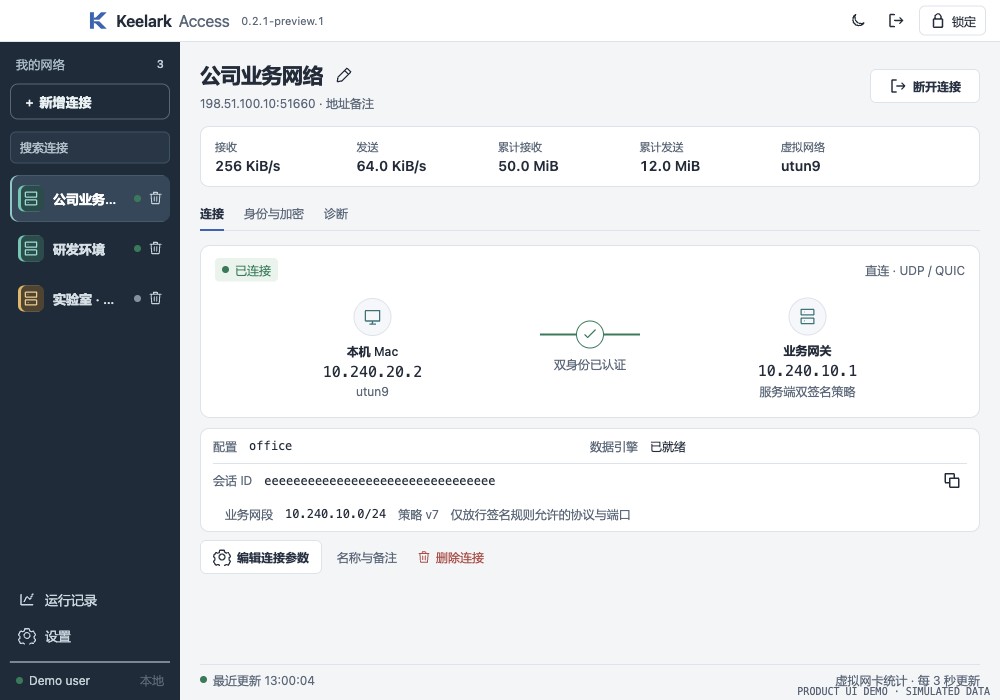
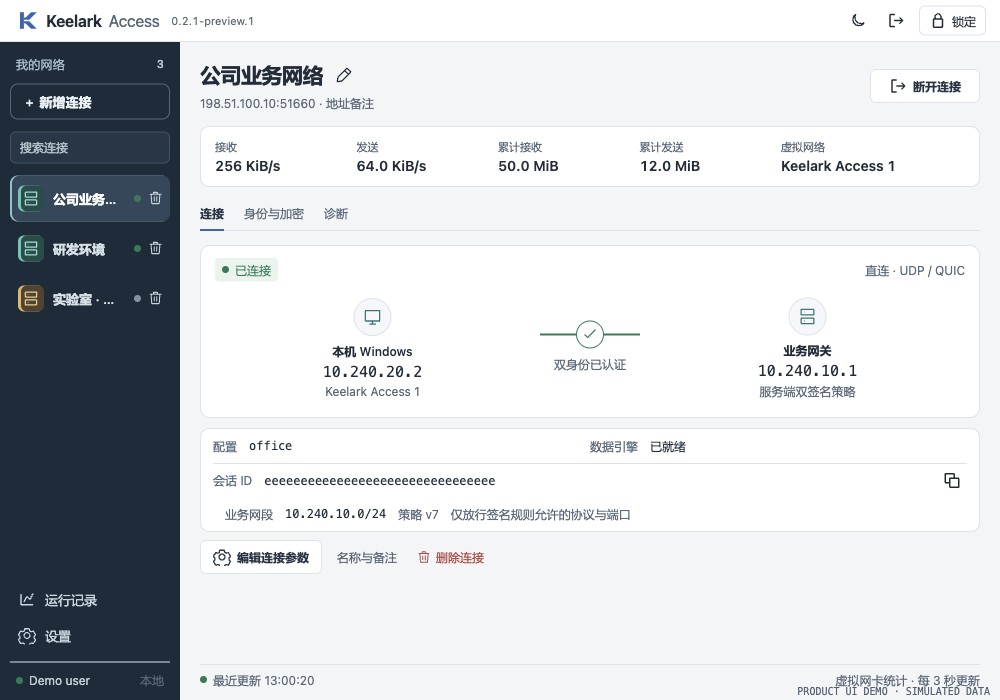
Connections, traffic and policy status in one place. Released product frontend · demonstration data, not customer deployments.
Associate devices with people and assign access policies through groups.
Allow resources by network, protocol and port.
Send an invitation, verify the device identity and approve access.
Run native and WireGuard connections together when routes do not conflict.
RESOURCES
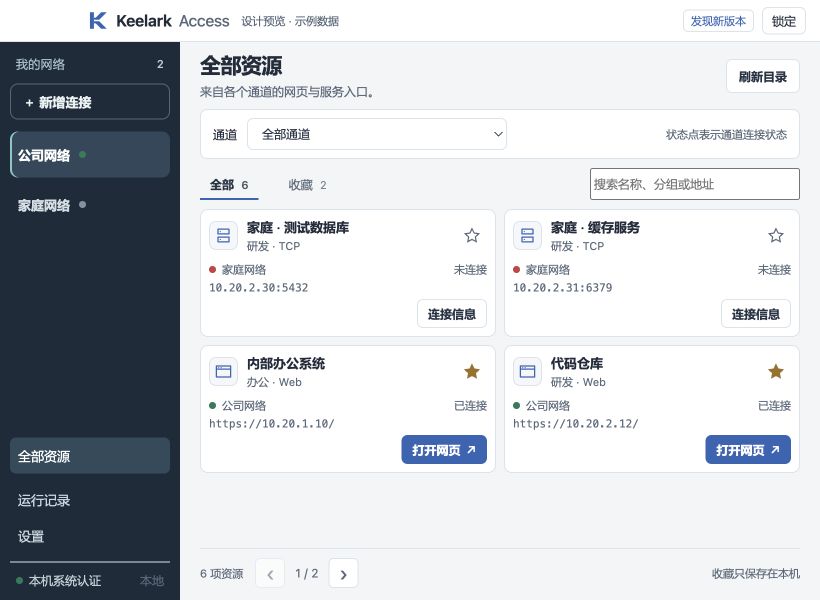
Approved devices receive their assigned resources automatically. Changes sync from the server, with retries when needed. Find web apps and services across connections, save favorites, then connect and open. All resources → Routes shows OS routes, their tunnel/interface, overlapping networks and actual IP egress. Diagnostics are local and read-only.
TEAM MANAGEMENT
Users, groups and devices have distinct roles. Associate devices with their users, assign shared policies through groups, and give individuals the access they need.
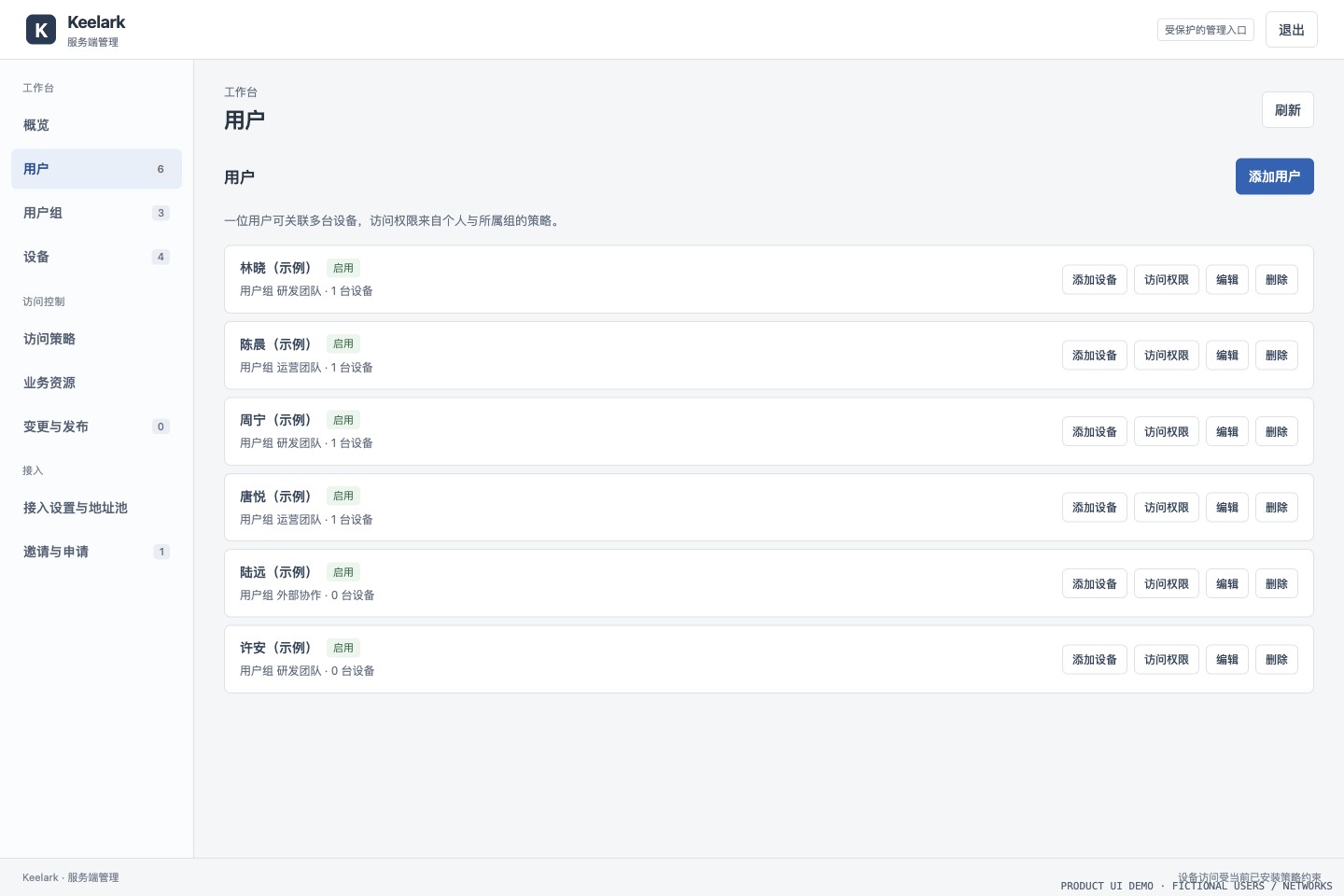
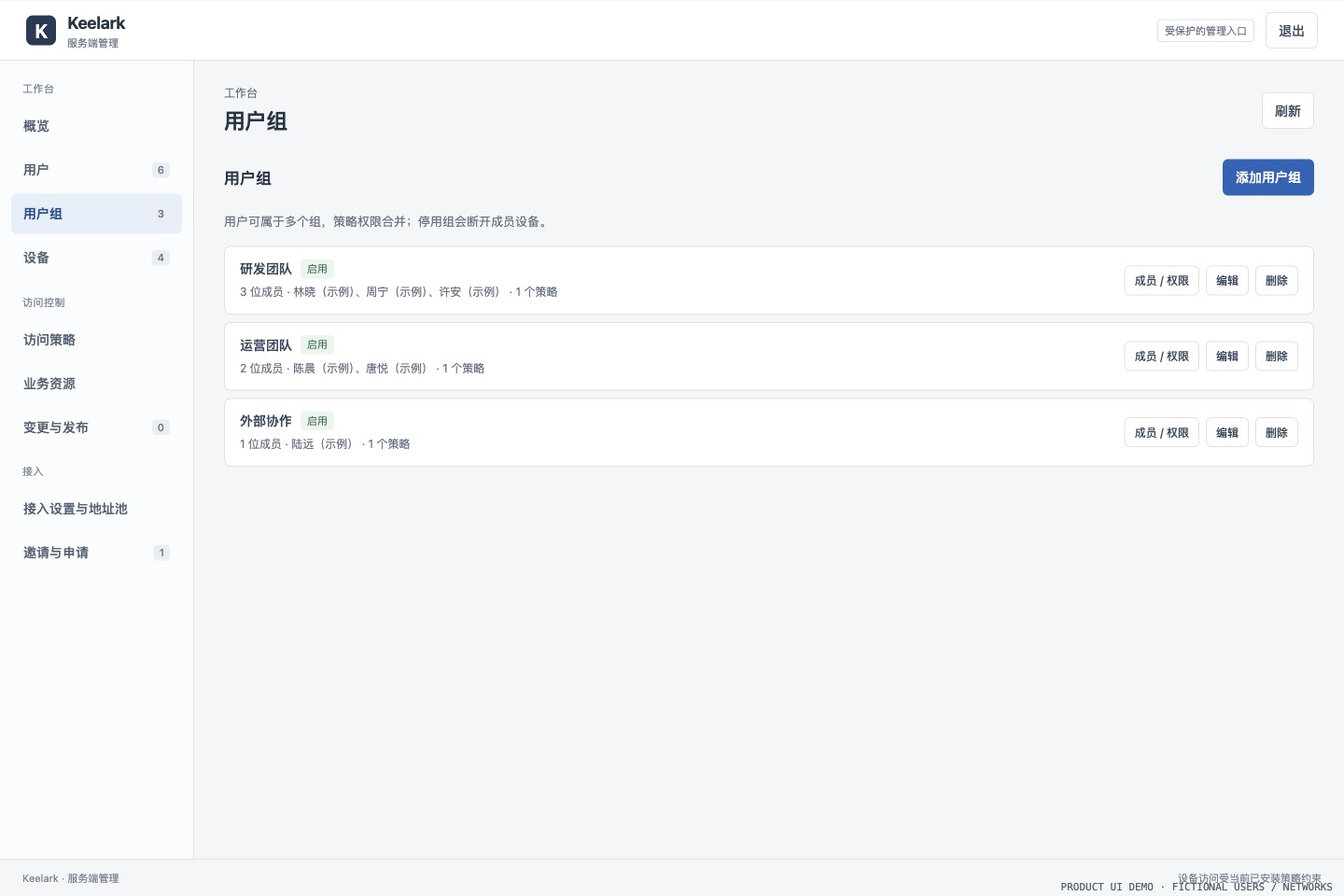
Released product frontend · demonstration data, not customer deployments.
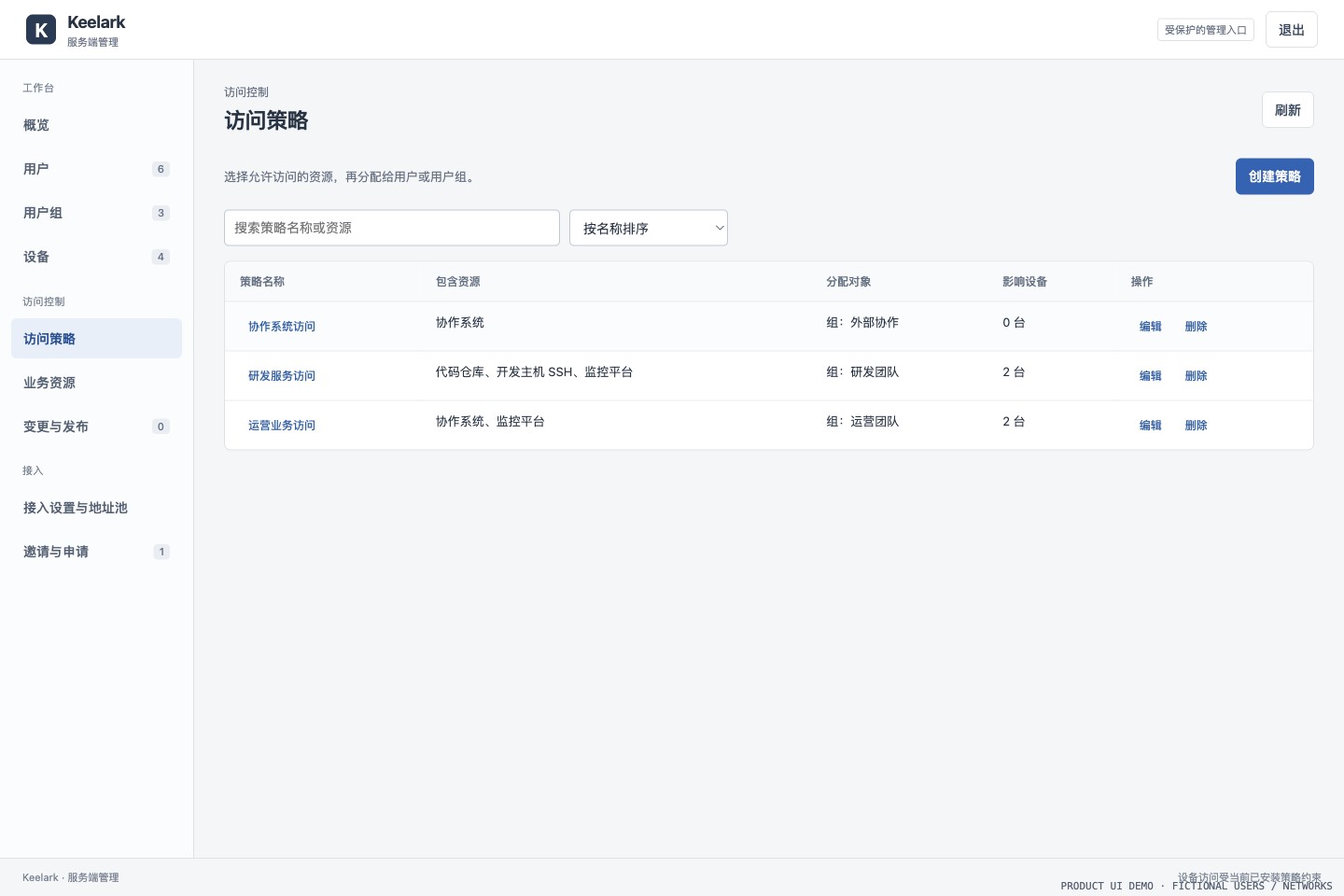
ACCESS POLICY
Define business resources, then assign access policies to users or groups. Manage changes and publishing separately, and check the policy version used by the current client session.
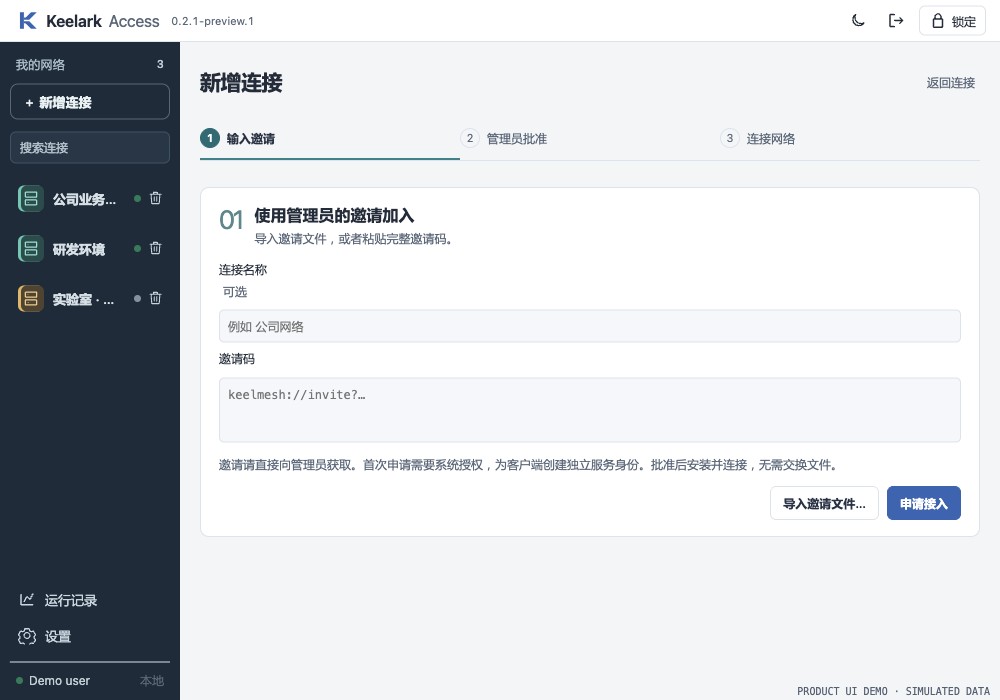
INVITE → APPROVE → CONNECT
Create an invitation for a user. They import the invitation file or enter a code in the client. The device creates its own local identity; after approval, the user installs the network component and connects.
Choose the user, access policy and authorization period.
Import an invitation or enter a code. No private key exchange.
Verify the device identity; the user authorizes system installation.
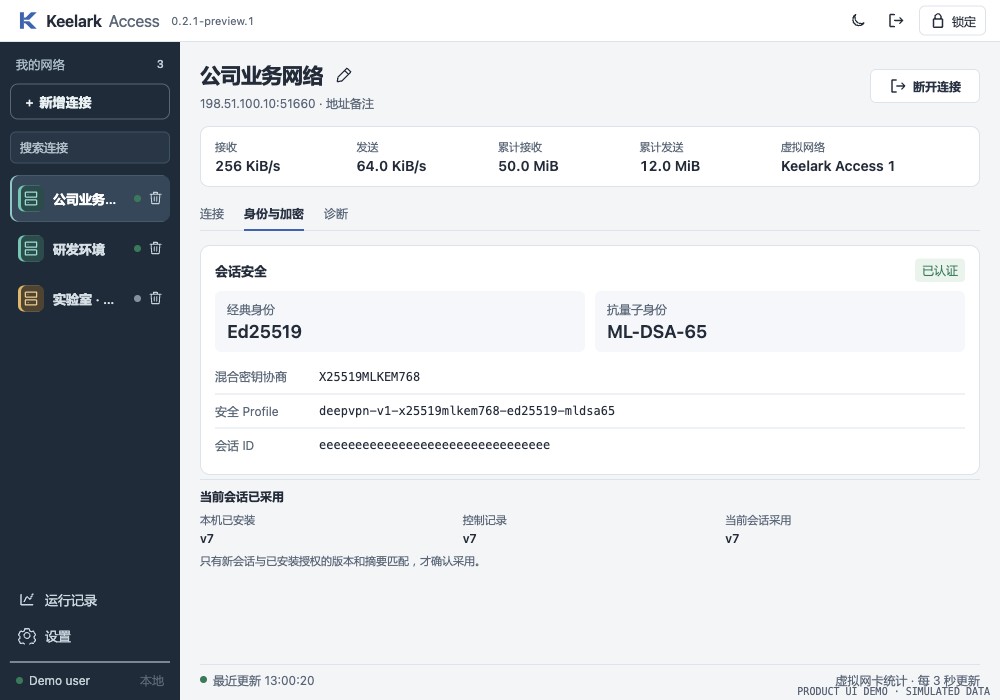
MULTIPLE CONNECTIONS
Keep work networks, development environments and lab profiles in one client. Connect or disconnect each independently, with route conflict checks before connecting.
Import or paste WireGuard configurations, with a clear connection type indicator. WireGuard uses its own protocol; it does not inherit native Keelark hybrid post-quantum or dual identity properties.
HYBRID POST-QUANTUM / DUAL IDENTITY
The client and Linux gateway negotiate session keys with X25519 + ML-KEM-768 and prove endpoint identity with Ed25519 + ML-DSA-65. Administrators control admission and access scope; the gateway enforces permitted business access.
The VPN gateway decrypts and routes traffic. It is not the Ops Blind Relay. Local window login and remote endpoint identity authentication are separate controls.
Mac and Windows clients, with a separate Linux server. This is a Preview release; review platform requirements and installation instructions before use.
Choose a client package. Your administrator issues an invitation and approves the device. Windows, macOS and Ubuntu 22.04 x64 desktop include route diagnostics. Install matching Linux client and desktop packages. Existing connections, identities and grants stay in place.
Engineering Preview · platform signing and clean-system acceptance remain pending.
Keelark Access · Windows 0.2.3-preview.13 · macOS / Linux 0.2.3-preview.2
Create a dedicated node in the console. Install once to enroll and connect automatically, under the assigned user’s server-enforced access policy.
0.2.3-preview.17 · amd64 tested on real Linux hosts; ARM64 cross-built, awaiting hardware validation. Requires systemd, TUN and root privileges.
Commercial edition launch in progress
Public server downloads are paused. Apply for a controlled trial by email with your deployment environment, expected user count and intended use.
OpenVPN · 0.2.3-preview.15
Import the .ovpn file you use in Tunnelblick and connect from Keelark. This separate preview is for Apple Silicon Macs running macOS 26 or later.
Certificate or username/password authentication and IPv4 split routes. OpenVPN uses classical TLS, separate from native hybrid post-quantum connections.
OpenVPN engines for Windows, Linux, Intel and older macOS are not released. The Universal client includes route diagnostics; this OpenVPN download remains a separate macOS 26+ Apple Silicon build.
Official download: x64 · DEB · x64 · tar.gz · ARM64 · DEB · ARM64 · tar.gz
Installation guide →Official download: Ubuntu 22.04 x64 · DEB
Installation guide →0.2.3-preview.2 · Desktop requires the matching CLI package. Ubuntu 22.04 x64; ARM64 CLI is cross-built, with native acceptance pending. Ubuntu 24.04 desktop is not supported.
Linux · 0.2.3-preview.2 ↗ · Linux SHA256SUMS · Linux manifest.json
Preview software. macOS packages are not Apple-notarized; Windows packages are not Authenticode-signed. See release notes and platform compatibility before deployment.
SHA256SUMS · manifest.json · Release public key
Per-package release manifests and signatures are listed in the release notes.
| Component | Current scope |
|---|---|
| Windows x64 client | Windows Server 2019 x64: client update and encrypted protocol checks. Clean Windows 10/11 installation and full human UAC remain open. |
| macOS client | macOS 12+: universal GUI and core; Apple Silicon package integrity, application replacement, rollback and protocol checks. Native Intel connection acceptance remains open. |
| Linux server | Commercial edition launch in progress · Apply for a controlled trial. Public server downloads are paused. Apply for a controlled trial by email with your deployment environment, expected user count and intended use. |
| Linux client · CLI / service | Ubuntu 22.04 x64 native acceptance. ARM64 packages are cross-built; native testing is pending. |
| Linux desktop client | Ubuntu 22.04 x64 / GTK3 / WebKitGTK 4.0. Matching CLI package required. Full desktop authentication matrix pending. |
Remote operations for people and AI; private resource access for approved devices. Review the security boundaries before choosing a pilot.
Capabilities & boundaries